Stop writing KB articles manually
Knowledge Builder turns your resolved Freshdesk tickets into quality knowledge base articles automatically — with AI-powered drafting, built-in QC, and fully automated publishing. It's one half of Autosolve for Freshdesk, alongside the AI Agent.
Knowledge base rot is costing you
Your agents solve the same problems over and over because the KB is outdated, incomplete, or never got written in the first place. Manual curation doesn't scale.
Repeated ticket volume
The same questions come in repeatedly because there's no self-service article. Agents answer them from scratch every time.
Curation never gets prioritised
Writing KB articles is always "tomorrow's task". Busy support teams never find the time, so the KB stays stale.
Stale articles erode trust
Outdated documentation is worse than none. Customers who follow bad instructions lose confidence in your product.
AI agents are only as good as your KB
AI support tools — chatbots, agent copilots, agentic workflows — rely on your KB for accurate responses. A stale KB directly degrades their effectiveness.
Four steps, fully automated
Monitor closed tickets
Knowledge Builder watches your Freshdesk queue. When a ticket is closed with a confirmed resolution, it's a KB candidate.
AI drafts the article
The full ticket thread is analysed. The AI extracts the problem, the resolution, and any relevant context, then drafts a structured KB article.
Quality check
Every draft goes through an automated QC pass. Articles that don't add meaningful value over existing content are discarded before publishing.
Published to your KB
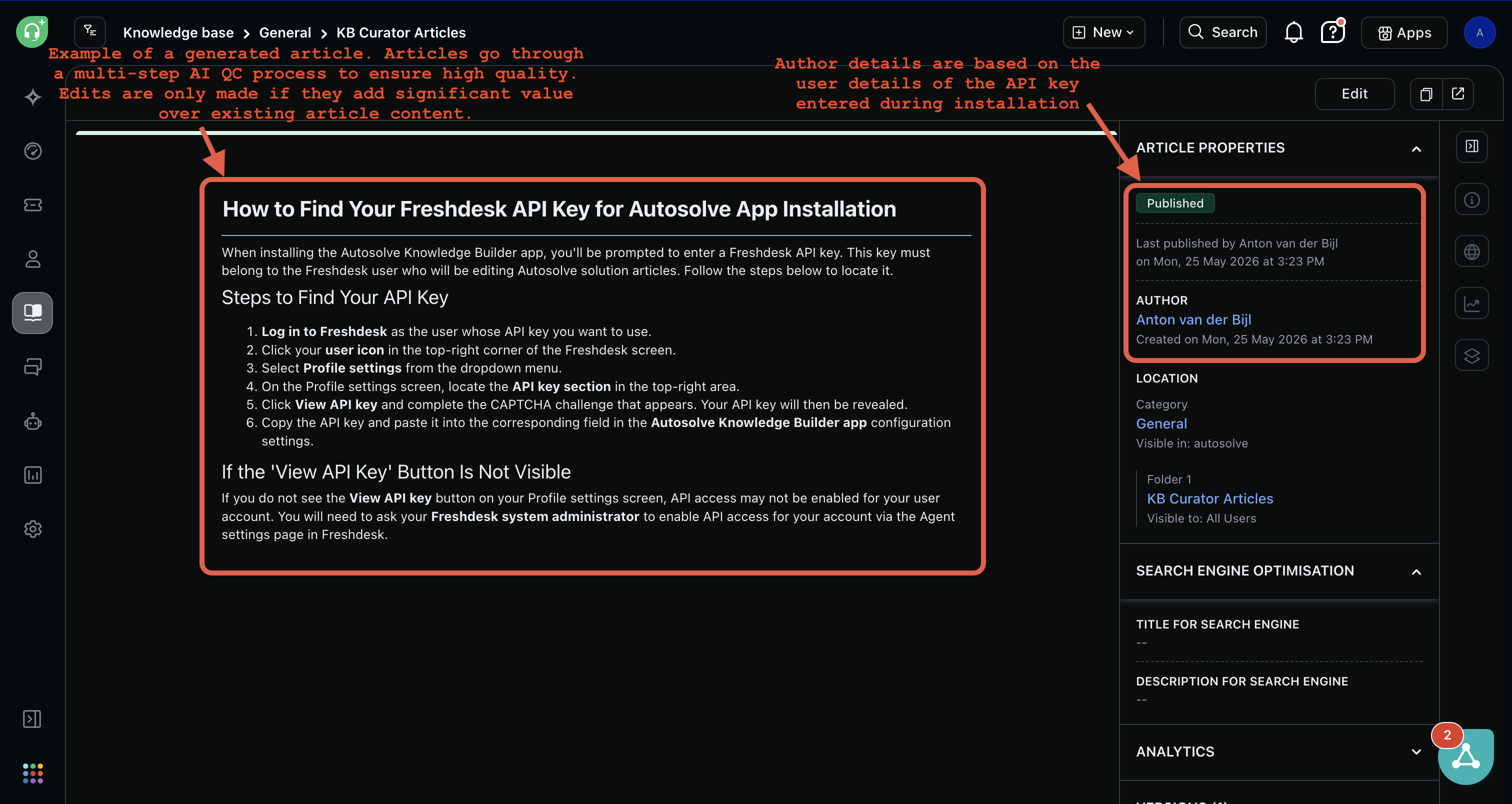
Approved articles are published directly to a dedicated Freshdesk KB folder — visible to agents and customers immediately, no manual steps.
Fits right into Freshdesk
No new interfaces to learn. Knowledge Builder lives inside Freshdesk as a native app.
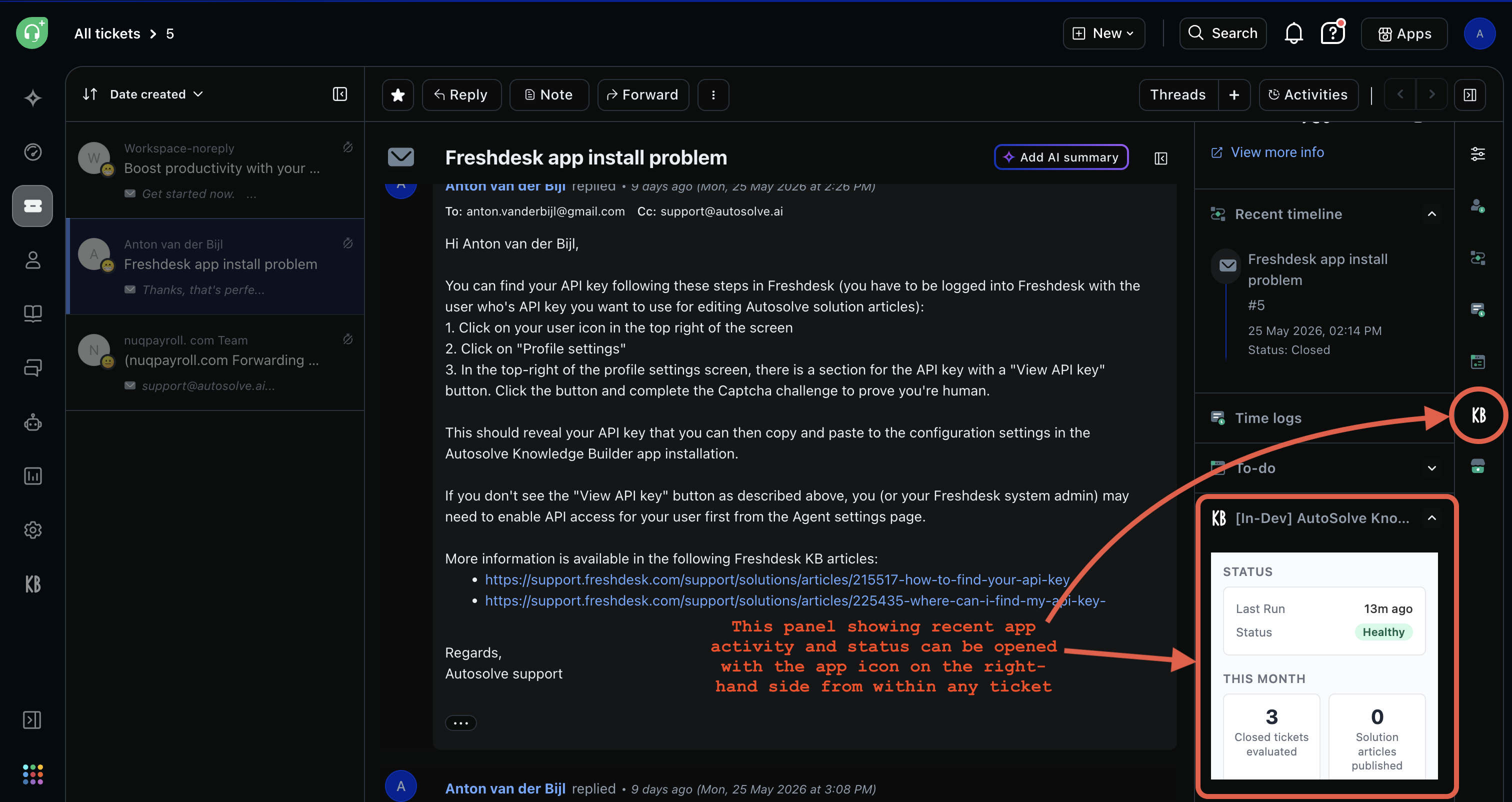
Activity panel accessible from any ticket — check status, articles created, and health at a glance

The app icon on every ticket gives instant access to Knowledge Builder analytics and actions
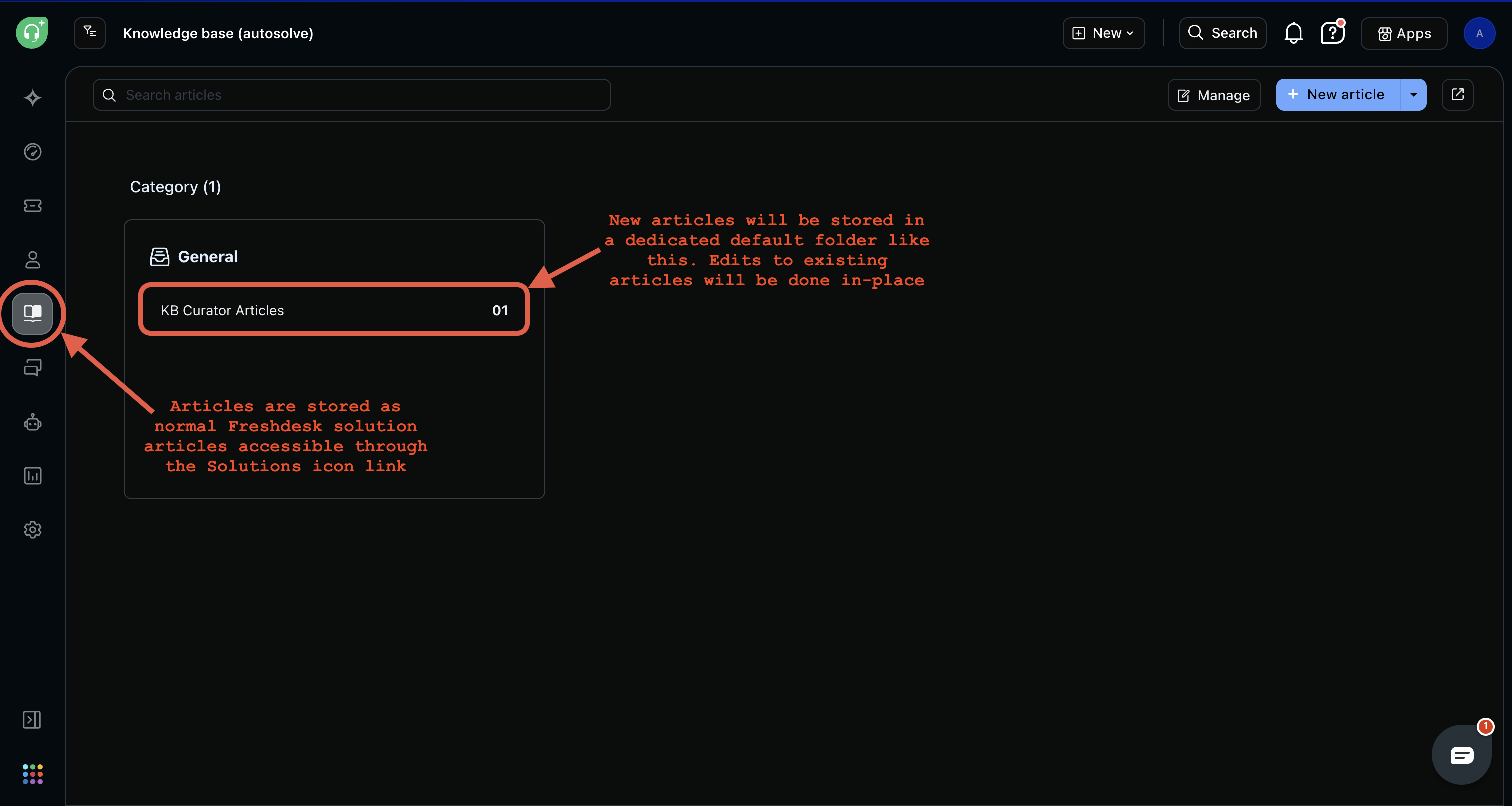
New articles published to a dedicated KB folder — new content is easy to find and review
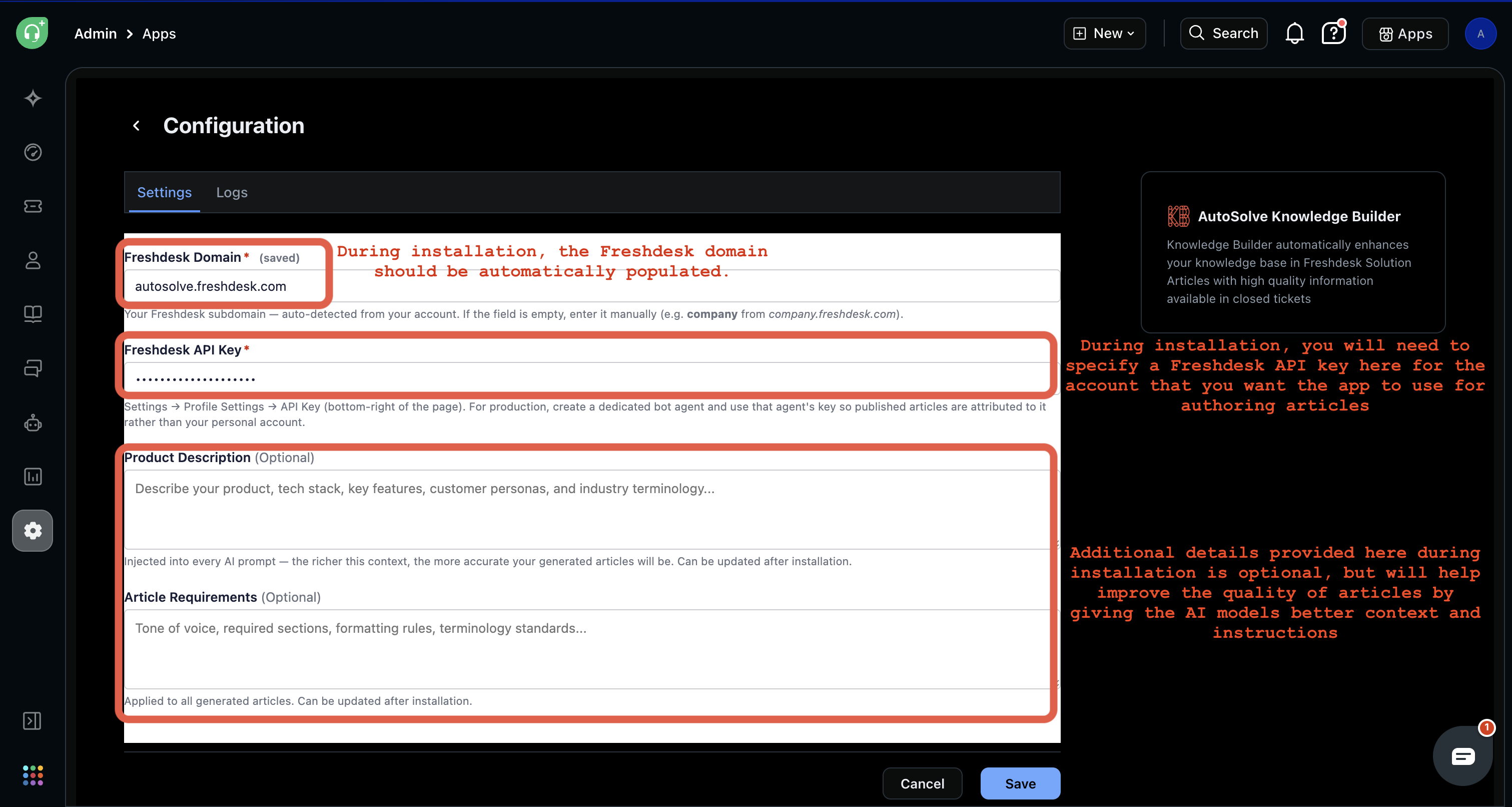
Simple setup: connect your Freshdesk domain and API key, optionally add product context for richer articles
See it in action
A 90-second walkthrough of Knowledge Builder working inside Freshdesk.
What Knowledge Builder does
Autonomous publishing
Articles are drafted, reviewed, and published with no human intervention required — fully hands-off operation.
Built-in QC
Multi-step quality checks ensure only genuinely useful articles get published. Low-value drafts are discarded automatically.
Configurable context
Add product descriptions and article requirements to guide the AI — the richer the context, the more accurate the output.
Predictable output location
New articles are created in a dedicated KB folder. Edits to existing articles are applied in-place. You always know exactly where Knowledge Builder content lives.
Activity panel
Monitor Knowledge Builder health, recent articles, and this-month stats from within any Freshdesk ticket view.
Flexible article authorship
Articles are attributed to whichever agent's API key you configure. Use your admin account for simplicity, or set up a dedicated bot agent if you want AI-generated content clearly separated — the choice is yours.
Common questions
Your knowledge base should work as hard as your support team
Knowledge Builder automates the article curation work that never makes it onto anyone's task list. Fewer repeated tickets, better AI resolution rates, and a KB that actually stays current.
Install on Freshdesk Watch the Demo